
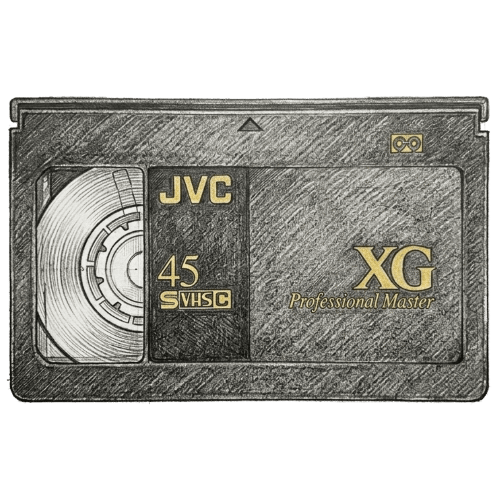
VHS-C to Digital Conversion in Shoreline, WA
Turn compact camcorder tapes into MP4 files you can watch, download, back up, and share.
Bring Shoreline VHS-C Memories Into the Digital Age
Old camcorder cassettes often outlast the equipment needed to play them. Memories by Liberty converts playable VHS-C recordings for Shoreline families who want convenient digital access.
The main VHS-C to digital conversion page explains the format, digital delivery, and source requirements. If your collection also includes full-size cassettes, review the separate VHS conversion service.
Completed MP4 files can be placed in the Liberty Cloud for viewing, sharing, and downloads. USB thumb drive and external-drive delivery are also available for customers who want local digital storage.
A Practical VHS-C Conversion Option for Shoreline
Shoreline is connected with nearby Washington communities including Mountlake Terrace, Edmonds, Kenmore. Those city relationships come from U.S. Census place coordinates so the local cross-links remain geographically natural.
Families may have related tapes stored in several households. Bringing playable cassettes into one organized project can make it easier for authorized relatives to receive digital copies while the original tapes stay together.
Nearby VHS-C pages include Mountlake Terrace VHS-C conversion, Edmonds VHS-C conversion, Kenmore VHS-C conversion, Lynnwood VHS-C conversion. Shoreline customers can also review the existing Shoreline VHS conversion page and the broader Memories by Liberty locations page.
Bring Forgotten Camcorder Footage Back Into View
VHS-C footage preserves movement and sound that photographs cannot capture. Converting it can reconnect a Shoreline family with voices, gestures, and small details that would otherwise remain locked on tape.
- Holiday mornings and family gatherings
- Graduations, performances, and community events
- Children, pets, and changing family homes
- Camping trips and travel footage
- Messages, interviews, and visits with relatives
- Unplanned conversations that preserve familiar voices
Once the recordings are digital, a Shoreline family can review them without rebuilding an outdated camcorder setup. Files can be sorted by date, event, person, or family branch after the contents are known.
What Digitization Changes for a VHS-C Collection
VHS-C stores video on magnetic tape. Age, storage conditions, prior use, and cassette condition can affect playback, while compatible camcorders and adapters have become harder to find.
A digital transfer creates an MP4 access copy of the playable recording. Family members can watch that file without repeatedly running the source cassette through aging equipment.
The resulting file can be downloaded, duplicated, and kept in separate places so the collection does not depend on one cassette or one storage device.
Steps for Converting VHS-C Family Tapes
- Select the VHS-C recordings that should become accessible again.
- Label unknown tapes neutrally rather than assuming what they contain.
- Playable footage is transferred into MP4 digital files at the source format’s resolution.
- Use the Liberty Cloud to view and download files, with physical digital storage also available.
- Organize downloads by year, event, or family branch and preserve another copy.
Digital Options After VHS-C Conversion
With Liberty Cloud access, footage that once required a camcorder or adapter becomes available as MP4 files for viewing and downloads. Online access is especially useful when relatives live in different homes.
USB thumb drive or external-drive delivery can provide a local copy. For irreplaceable family video, keep files in more than one location rather than treating one account or device as the entire archive.
Use descriptive file names after the family has reviewed the footage. A year, event, or family name can make the collection understandable later, while a tape inventory documents which file came from each cassette.
Preparing a Shoreline VHS-C Collection
Gather compact camcorder cassettes from drawers, cases, and relatives, then keep original labels and handwritten notes with the matching tape. A simple numbered inventory can make the finished files easier to review.
Do not guess at unknown content. A neutral tape number can be replaced with a descriptive file name after the recording has been viewed and identified.
Tapes must be in good working condition for conversion. Keep a broken-looking, mold-affected, or moisture-exposed cassette separate and discuss its condition before submitting the project.
Submit only recordings you own or are authorized to copy. After delivery, document where backup copies are stored so future family members can locate and understand the archive.
VHS-C to Digital Conversion Near Shoreline, Washington
Memories by Liberty provides VHS-C digitization information for customers in Shoreline and nearby Washington communities. Each page uses the established service form and connects back to the verified VHS-C conversion service.
Explore nearby service pages for Mountlake Terrace VHS-C conversion, Edmonds VHS-C conversion, Kenmore VHS-C conversion, Lynnwood VHS-C conversion, or use the Washington locations hub for the broader state collection.
Shoreline VHS-C to Digital Conversion FAQs
Where can I convert VHS-C tapes to digital in Shoreline, WA?
Memories by Liberty provides VHS-C to digital conversion for customers in Shoreline and nearby Washington communities. Projects can include one playable cassette or a larger family collection.
Do I need a VHS-C adapter?
No. Memories by Liberty has equipment designed to play and digitize VHS-C tapes directly, so customers do not need to supply an old adapter.
What format will I receive?
Converted footage is delivered as MP4 files through the Liberty Cloud for viewing and downloads. USB thumb drive or external-drive delivery is also available.
Can I submit several VHS-C tapes at once?
Yes. A project may include one tape or a full shoebox of playable VHS-C recordings. Numbering the tapes first can make the finished files easier to organize.
Can family members download the converted videos?
Yes. Liberty Cloud access supports viewing, sharing, and downloading. Keeping another independent copy is also a sensible backup practice.
Turn Shoreline VHS-C Tapes Into Accessible Files
One cassette or a full shoebox can hold years of family history. Memories by Liberty can help turn playable Shoreline VHS-C recordings into MP4 files that are easier to revisit, organize, and preserve.
Use the form above to ask about your project, or review the main VHS-C conversion page before getting started. Completed files can be delivered through the Liberty Cloud or on supported physical digital storage.
